Upcoming money · 4 min read
Track expected income before it arrives
Schedule a client payment in Pocket, then confirm the amount and date when it arrives. Follow a $300 payment that arrives late as $280.
Updated
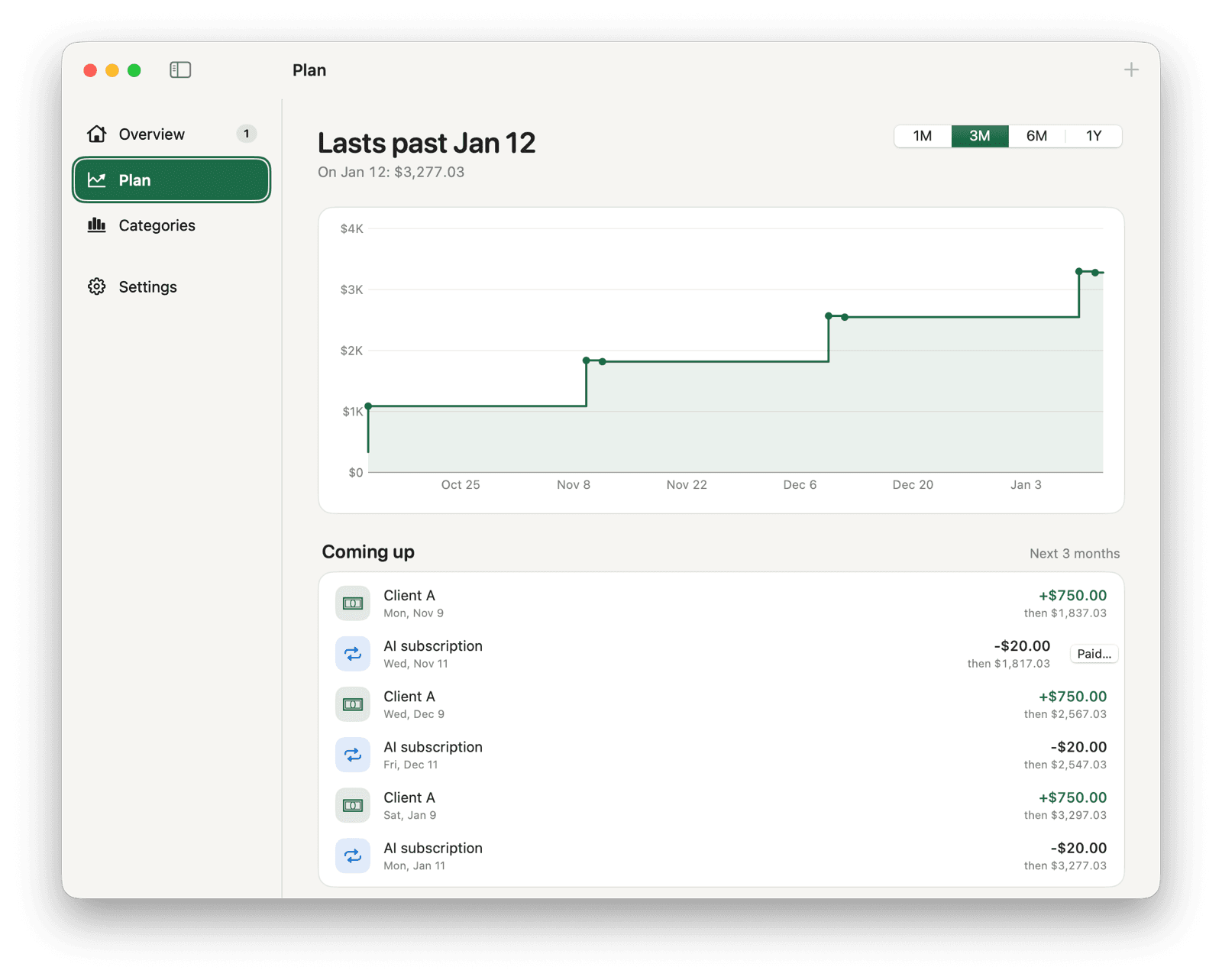
Keep today's balance and the forecast separate
Schedule a client payment for its expected amount and date, and turn on confirmation. Pocket will wait for you to confirm it before adding the income to your recorded balance.
Your menu bar balance shows recorded money. Plan includes scheduled payments, including income you are still waiting for.
Schedule a payment that needs confirmation
Click the sliders icon to the right of the amount field to open the full entry form. Set a future date or choose a repeating schedule to see the confirmation setting.
- Choose Got money and enter the expected amount, such as 300.00, with a description such as Client payment.
- Set the expected date. Leave Repeat at Once for a single payment, or choose how often it repeats.
- Turn on Confirm when money arrives and save. Check Plan for the scheduled payment.
- When the payment is due, find it waiting in Overview. Leave it waiting until you receive the money.
Confirm what actually arrived
Suppose you start with $500 and expect $300 on October 20. With confirmation enabled and no other entries, your recorded balance stays at $500 until you confirm the payment.
If $280 arrives on October 23, click Got it for the waiting payment. Enter 280.00 and October 23, then confirm. Pocket records the actual amount and date.
| Event | Recorded balance |
|---|---|
| Starting amount | $500.00 |
| $300 expected for October 20 | $500.00 |
| Due, still waiting for confirmation | $500.00 |
| Confirm $280 received on October 23 | $780.00 |
Update the plan when expectations change
If a payment will come later, edit its planned date. You can skip a payment, or pause or stop a repeating one, from its controls.
Check uncertain income and missing bills before relying on the forecast. Pocket projects the amounts and dates you enter; purchases you have not recorded or planned are left out.