Choosing an approach · 5 min read
Manual money tracking vs bank sync: which one fits
Bank-sync apps import transactions for you. Manual trackers like Pocket count only what you enter. When each works better, and how to keep a manual budget accurate without a bank connection.
Updated
What's the difference?
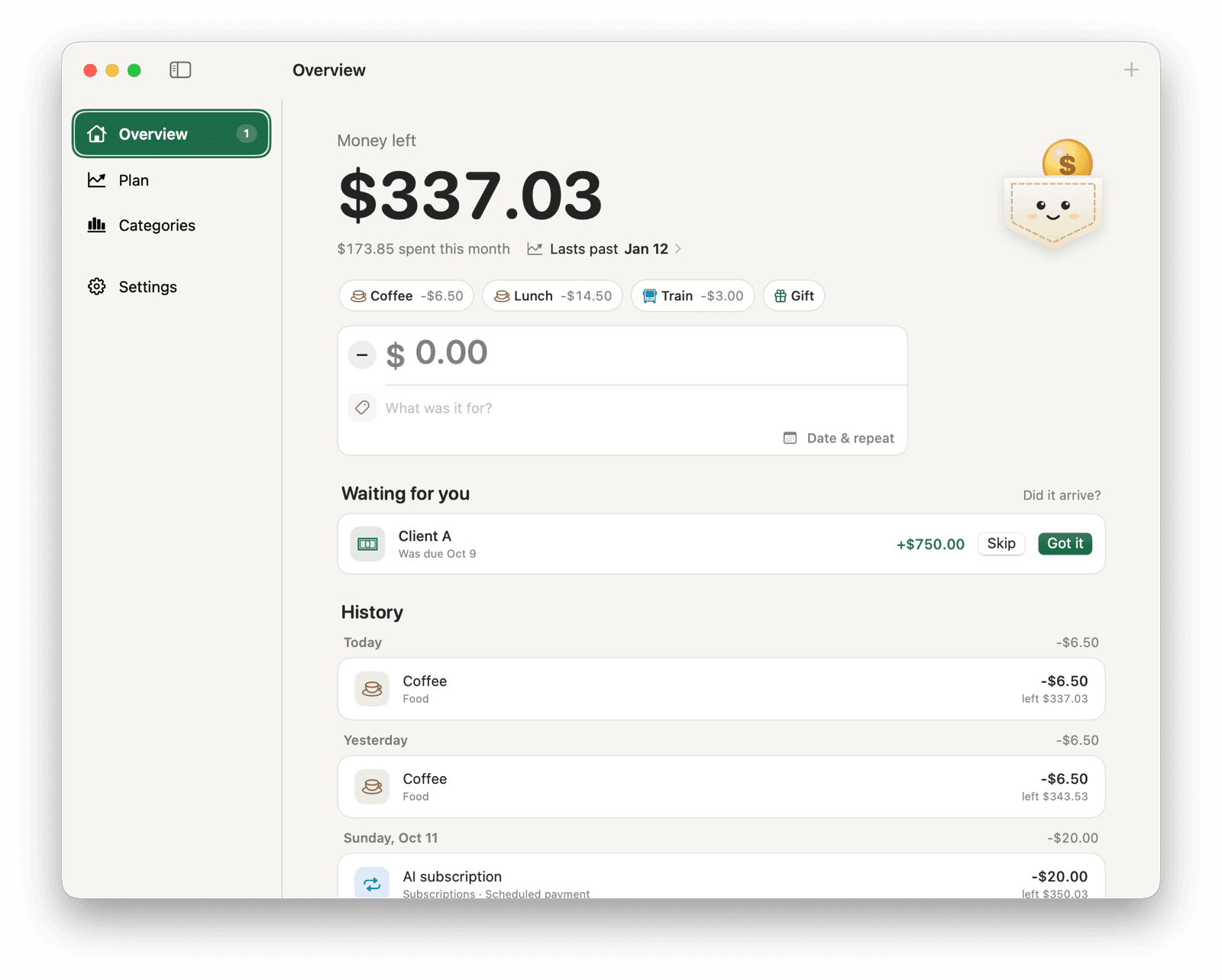
A bank-sync app connects to your bank, usually through a third-party data provider, and imports transactions automatically. A manual money tracker has no bank connection: you record each purchase and payment yourself, and the balance comes from those entries. Pocket for Mac is a manual tracker.
Neither is more accurate by default. Bank sync misses what its connection misses; a manual tracker misses what you forget to enter.
| Compared on | Manual tracking | Bank sync |
|---|---|---|
| How transactions arrive | You type them, or a saved button or repeating payment adds them | Imported from the bank, often a day or more after the purchase |
| What you share | Nothing, unless you choose to | Bank sign-in access or a token for your accounts, held by the app and its data provider |
| When it goes wrong | A forgotten or duplicate entry | A broken connection, a missing account or a misread category |
| Cash and informal money | Recorded like anything else | Not seen unless you add it by hand |
| Money not yet received | Can be marked as waiting | Usually appears only once it clears |
| Effort | A few seconds per purchase | Mostly reviewing and fixing categories |
When manual tracking works better
Manual tracking suits people who watch one balance, such as an everyday spending account, rather than every account they own. It also fits if you would rather not give a bank-sync app access to your bank, if bank-sync apps don't support your bank or country, or if a lot of your money moves outside the bank: cash, transfers between friends, or client payments that arrive at unpredictable times.
You also see the new balance the moment you spend, rather than when the transaction clears.
When bank sync works better
Choose bank sync if you need a full history across many accounts and cards, if you make so many transactions that typing them would be a chore, or if you need categorized records for taxes or bookkeeping.
If you know you won't record purchases, a manual tracker's balance will drift from your bank's, and a bank-sync app will serve you better.
How to keep a manual tracker accurate with little effort
Most of the work in manual tracking can be set up once. In Pocket:
- Track one account. Start from that account's balance today and don't re-enter older transactions.
- Schedule bills, subscriptions and paychecks as repeating payments, so they log themselves on their day.
- Turn the purchases you make often into quick-add buttons, then use Command-1 to Command-9.
- Mark uncertain money as waiting, so it only counts once you confirm it arrived.
- Once a week, compare Pocket's balance with your bank's. If they differ, look for a missing or duplicate entry and fix it in History.
Where Pocket fits
Pocket is manual only. It keeps one balance in one currency, saves it in a file on your Mac and doesn't ask for an account. It shows that balance in the menu bar, and Plan forecasts when it would run out. It doesn't import bank statements, convert currencies or combine several accounts.
If that matches how you want to track money, get started with Pocket.