Start here · 3 min read
Keep your money balance in the Mac menu bar
Pocket puts the money you have left in the Mac menu bar. See what the number counts, add spending from the menu bar panel and keep it visible on a Mac with a notch.
Updated
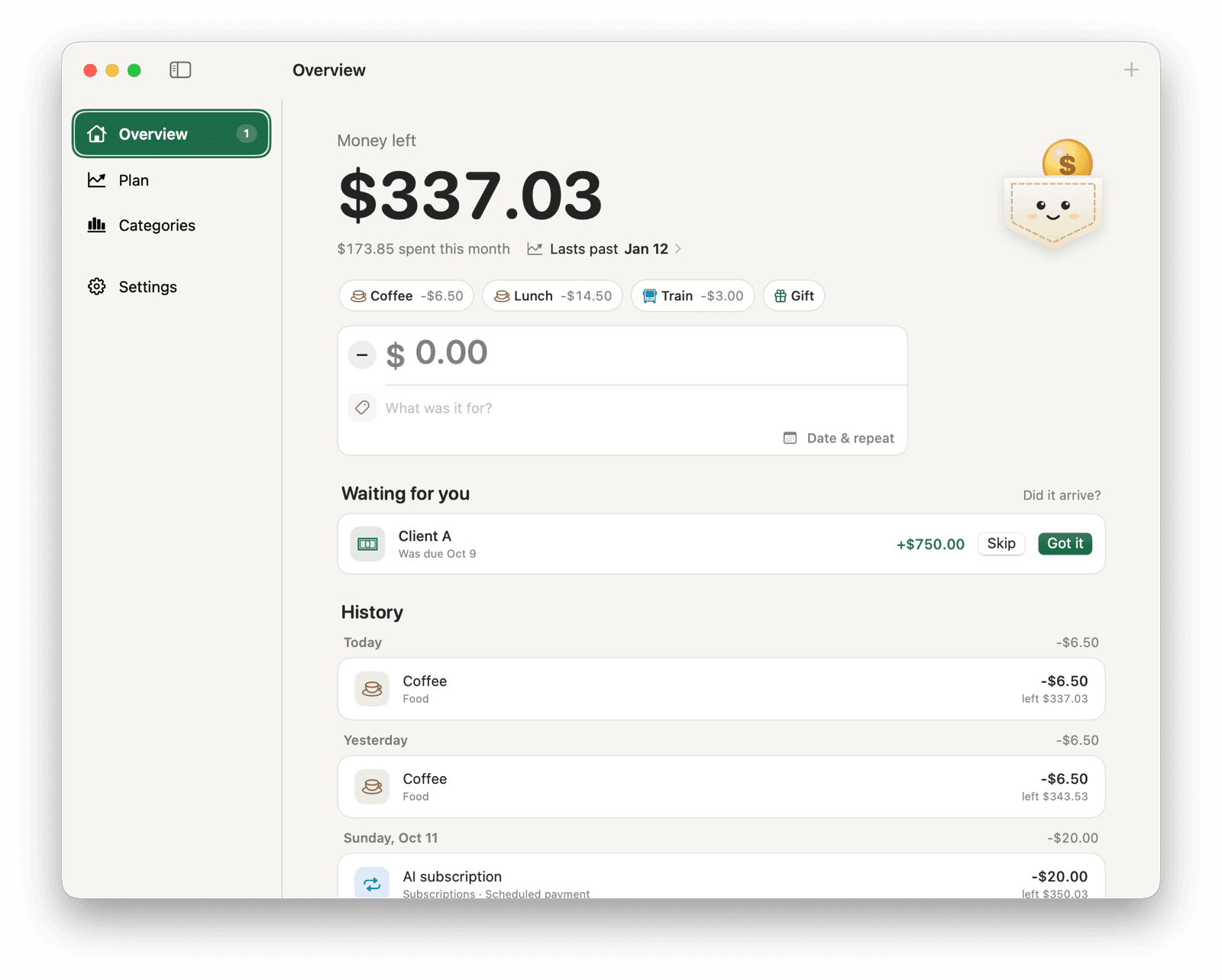
What the menu bar number counts
Pocket is a free Mac app that shows your balance as a number in the menu bar, next to the clock. The number is your recorded balance: the starting amount you entered, plus income and minus spending you have recorded since.
Repeating bills and paychecks that you set to count automatically are added on their day. Payments that wait for confirmation leave the number unchanged until you click Got it. Pocket never reads your bank account, so the number includes only what you record.
Add spending from the menu bar
Click the number to open the menu bar panel. The amount field is ready as soon as it opens: type the amount, a description and press Return. Your quick-add buttons sit above it, and Command-1 through Command-9 use the first nine.
Under Money left, a forecast line says “Runs out on” or “Lasts past” a date, based on the payments you have scheduled. Click it to open Plan. The panel also shows how many payments are waiting for you and your three most recent entries.
| Shortcut | What it does |
|---|---|
| Command-1 to Command-9 | Use one of the first nine quick-add buttons |
| Command-N | Clear the entry field to start a new entry |
| Command-O | Open the Pocket window |
| Command-comma | Open Settings |
| Command-Q | Quit Pocket |
Keep the balance there after a restart
Pocket asks whether to open at login the first time you start it. To change your answer later:
- Click the number in the menu bar, then press Command-O to open the Pocket window.
- Open Settings and turn Open at login on or off.
If the number is hidden behind the notch
On MacBooks with a camera notch, macOS hides menu bar items that don't fit, starting with the ones furthest from the right. Pocket keeps running; you just can't see it.
Hold Command and drag menu bar items to reorder them. Move Pocket closer to Control Center, or remove items you don't use, until the number fits. Recent versions of macOS also let you switch items off in System Settings → Menu Bar.
When other people can see your screen
The amount is visible to anyone who can see your menu bar. Pocket has no setting to hide it. Before presenting or sharing your screen, choose Quit Pocket from the ⋯ menu in the panel. Your entries are saved, and the balance comes back when you open Pocket again.