Upcoming money · 5 min read
Plan around irregular freelance income on a Mac
A weekly routine for irregular income: spend from money that has arrived, keep unpaid invoices in the forecast, and see the date your balance would run out if a client pays late.
Updated
Keep two numbers: received and expected
When income is irregular, the money you have and the money you're owed are different numbers. Spend only from money you've received, and plan with both.
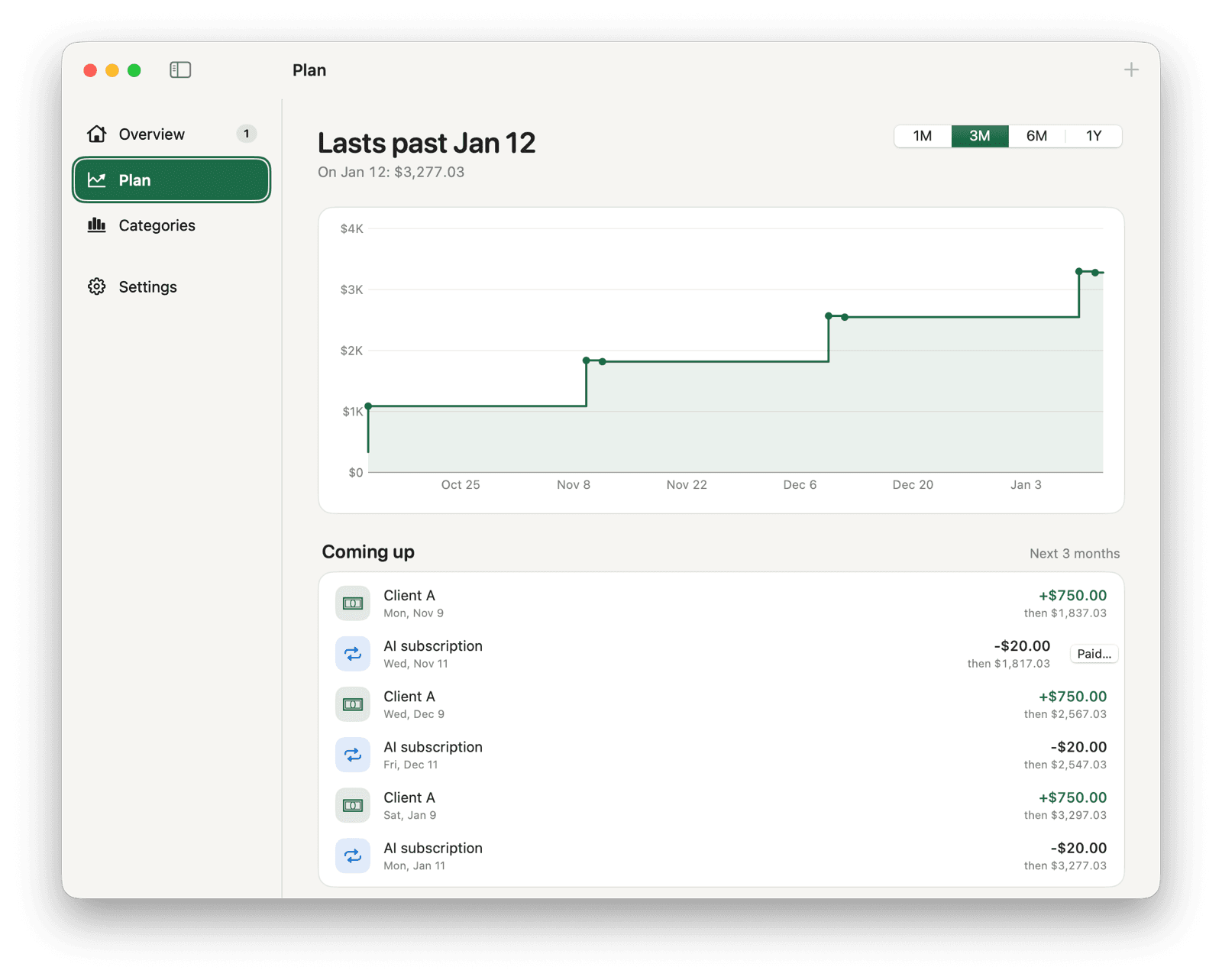
In Pocket, the menu bar shows only money you've recorded as received. Unpaid invoices go into Plan as expected payments, and they count toward your balance only after you confirm them.
Set up your bills and invoices
- Start Pocket with the balance of the account your clients pay into.
- Add rent, subscriptions and other fixed costs as repeating payments. Leave Confirm each payment off for bills that are always the same.
- For each invoice you send, open the full entry form with Date & repeat, choose Got money, enter the amount and the date you expect it, and keep Confirm when money arrives on.
- For a retainer, choose Repeat → Monthly with confirmation on, so each month's payment waits for you to confirm the actual amount.
Read the forecast, then test a late payment
Plan's header says “Runs out on” a date if your balance would drop below zero in the range you chose, or “Lasts past” a date if it wouldn't. The line below it shows the balance at the end of the range and the lowest point on the way. Choose 3M or 6M for freelance work.
The forecast assumes every invoice arrives on time. To see what a late client would do, click an upcoming payment in Plan and move its date. In this example, it's early October, the balance is $700 and Client A's $1,200 invoice is due October 15:
| Date and payment | Client A pays Oct 15 | Client A pays Nov 20 |
|---|---|---|
| Oct 15: Client A due, +$1,200 | $1,900.00 | $700.00 |
| Oct 28: Software −$30 | $1,870.00 | $670.00 |
| Nov 1: Rent −$900 | $970.00 | −$230.00 |
| Nov 5: Client B +$800 | $1,770.00 | $570.00 |
| Nov 20: Client A +$1,200 (late) | $1,770.00 | $1,770.00 |
A weekly check
- Open Overview. For each payment under Waiting for you that has arrived, click Got it and enter the amount and date that actually landed. Click Skip for any that won't come.
- An invoice that is past due stays under Waiting for you, and Plan counts it as arriving today. If you don't expect it soon, click Skip and add it again with the new expected date, so the forecast no longer counts it as arriving today.
- Add any invoices you sent this week.
- Compare Pocket's balance with your bank. Fix missing or duplicate entries in History.
- Check the Plan header. If it says “Runs out on”, decide what to change before that date.
What the forecast leaves out
Pocket projects only what you've entered. Everyday spending you haven't planned, taxes you haven't scheduled and invoices you haven't added aren't in the chart. If you set money aside for taxes in another account, leave it out of the balance you track, or schedule the tax payment so the forecast includes it.