Upcoming payments · 4 min read
How to track subscriptions on Mac
Track subscriptions without linking a bank account. Enter each service, its price, billing cycle and next renewal in Pocket for Mac. Set a reminder before the charge and check which payments are due in the next 7 or 30 days.
Updated
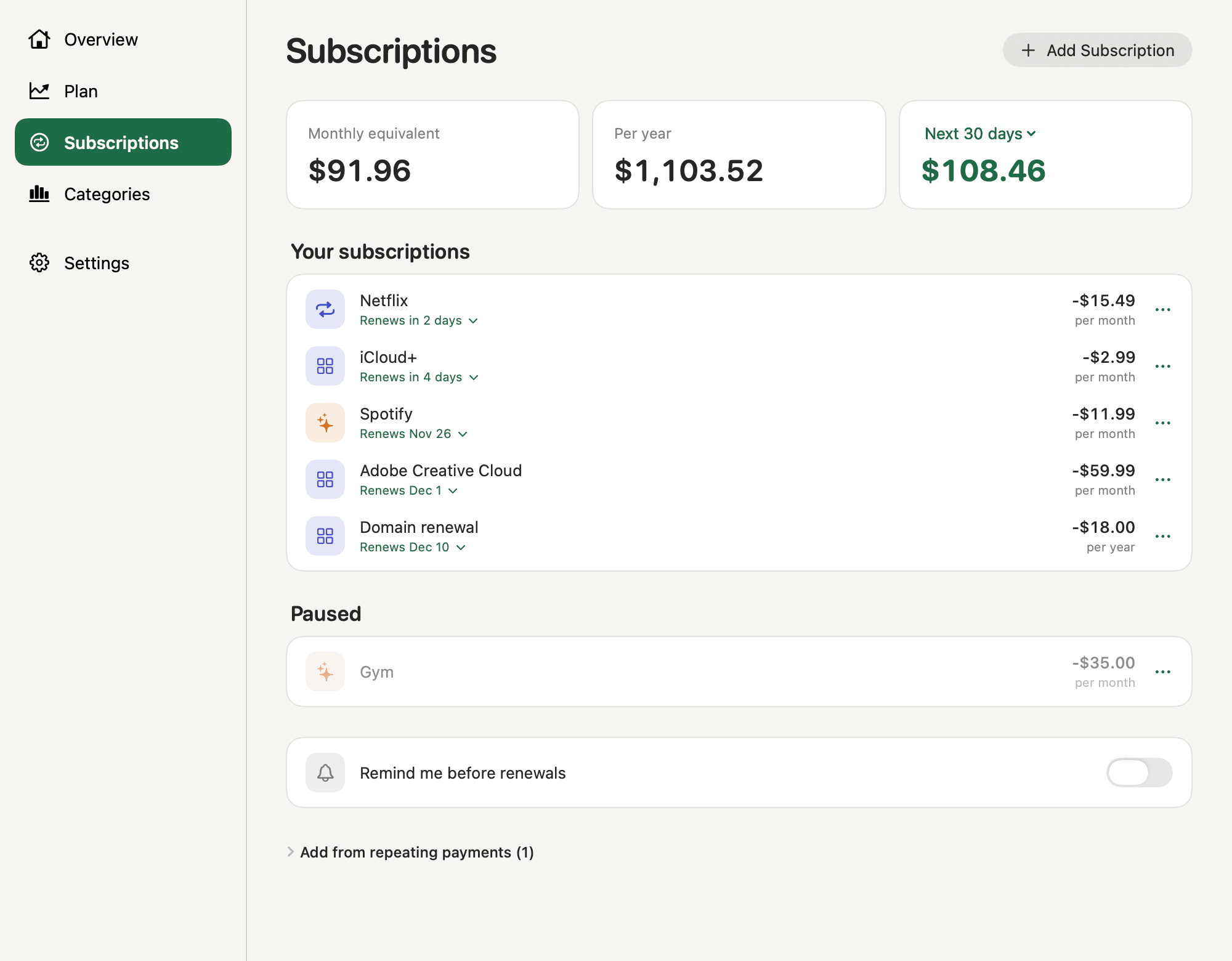
Add a service and its next renewal date
Gather the name, price and next billing date from each provider's account page or receipt. Start with the services you pay for every month and any yearly plans you might forget.
If you already entered a service in Plan as a repeating expense, it appears automatically when it uses the Subscriptions category. For another category, expand Add from repeating payments and choose Include. Pocket uses the existing schedule in both views.
- Open Subscriptions in the Pocket window and click Add Subscription.
- Enter the subscription name, price per renewal, billing cycle and next renewal date. If your current balance already includes last month's charge, start from the next date the provider will bill you.
- Review the message above Add Subscription before saving. Pocket shows when saving will record a charge in History right away.
Set a Mac reminder before renewal
In Subscriptions, turn on Remind me before renewals and allow notifications in macOS. Reminders are free. By default, Pocket reminds you at 10 a.m. two days before each renewal. For a service that renews on December 12, expect the reminder on December 10.
Choose Defaults to set a reminder 1–365 days before renewal at a time you choose. To change just one service, open its row menu and choose Renewal Reminders. You can also set a one-time date and time before its next renewal.
Read the monthly cost and the next 30 days separately
A $12 monthly plan and a $60 yearly plan cost the equivalent of $17 per month and $204 per year. If both renew in the next 30 days, the upcoming total is $72. The monthly equivalent spreads the yearly charge across 12 months, while the upcoming total shows the charges actually scheduled in that window.
Use the 7- or 30-day menu to change the window. Select a subscription's renewal date or countdown to see when it is scheduled to charge.
Update Pocket after you cancel with the provider
Cancel with the service provider to stop future billing. Then use Delete Schedule in the subscription's row menu to remove its future charges and reminders from Pocket. Earlier charges stay in History. If you only want to suspend the schedule in Pocket, choose Pause Tracking.